Copado Deployment Assistant
Chrome Extension · Salesforce + Copado · One Panel
A browser extension that brings Salesforce metadata selection, Copado User Stories, commits, promotions, and deployment results into a single guided panel — without leaving your Salesforce tab.
View DemoSalesforce deployments without the context switch
The Copado Deployment Assistant Extension simplifies Salesforce metadata deployment through Copado. It brings commonly used Salesforce and Copado activities into one experience so developers and admins spend less time jumping between tools.
Copado remains the underlying DevOps and deployment platform. The extension is a user interface and integration layer — it does not replace Copado’s deployment, approval, authorization, or audit mechanisms.
Why teams use the Deployment Assistant
Less context switching
Browse components, attach User Stories, and drive commit/promote/deploy from one panel on a Salesforce tab.
Fewer manual errors
Search and select metadata instead of typing component API names by hand.
Clear progress
See User Story, commit, promotion, and deployment status without leaving the workflow.
Actionable results
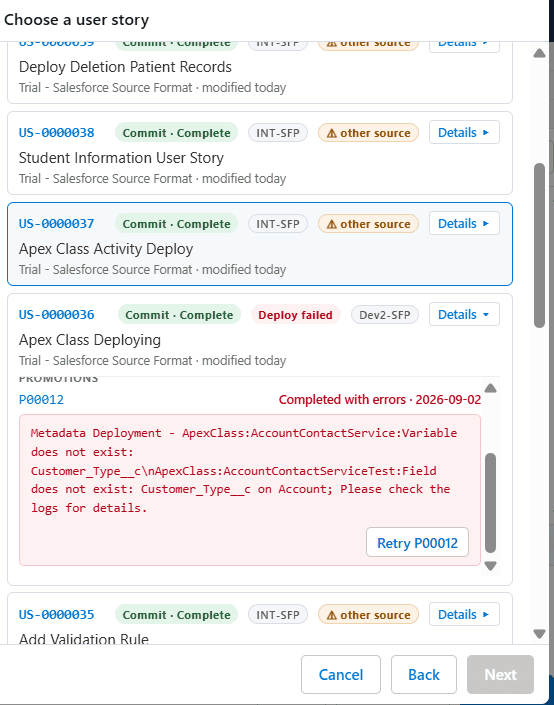
View deployment outcomes and relevant errors inline — then retry a failed promotion where Copado supports it.
Built for DevOps teams
Designed for Salesforce developers, admins, and release teams who already run change management in Copado.
Copado stays in control
Authorization, approvals, and audit stay with Copado. The extension never becomes an independent deployment engine.
Everything you need for a guided release
From discovering metadata to recovering a failed promotion — the extension covers the full Copado deployment path.
Salesforce Component Explorer
Browse, search, filter, and select Salesforce metadata available for deployment.
Smart Component Selection
Identify recently modified and custom components, then stage the ones you need.
Copado User Story
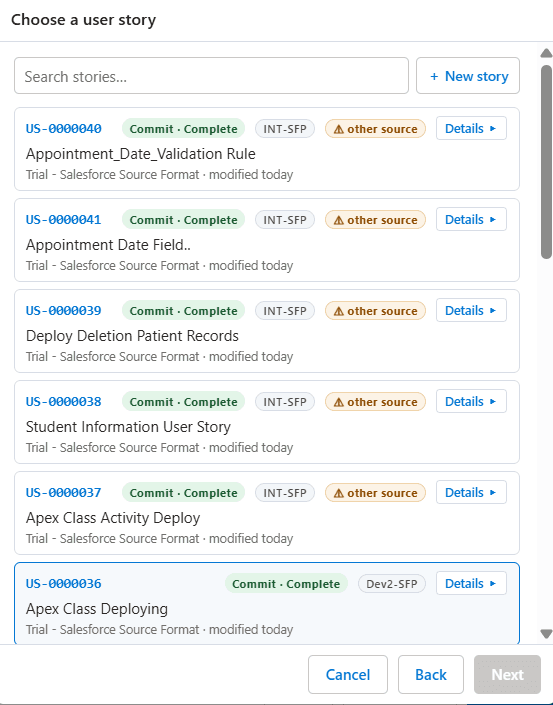
Select an existing User Story or create a new one and associate the selected components.
Commit
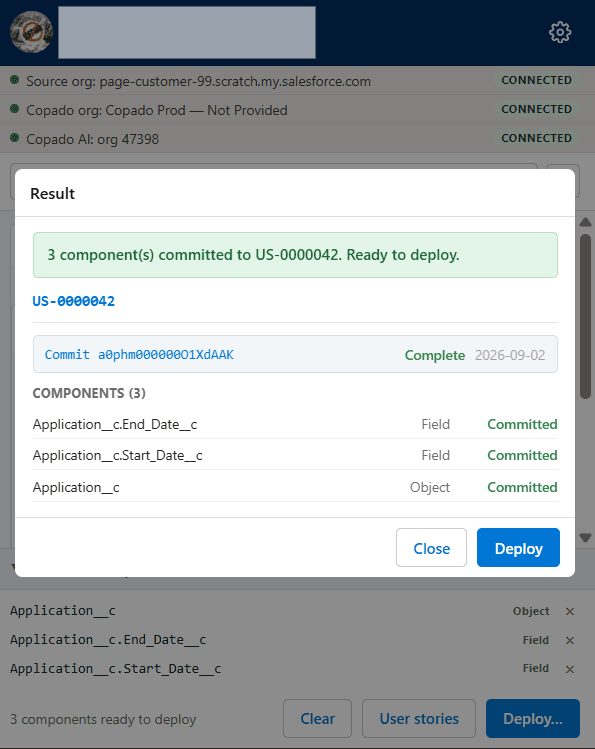
Commit selected components through Copado with an explicit confirmation of credential and project.
Promote and Deploy
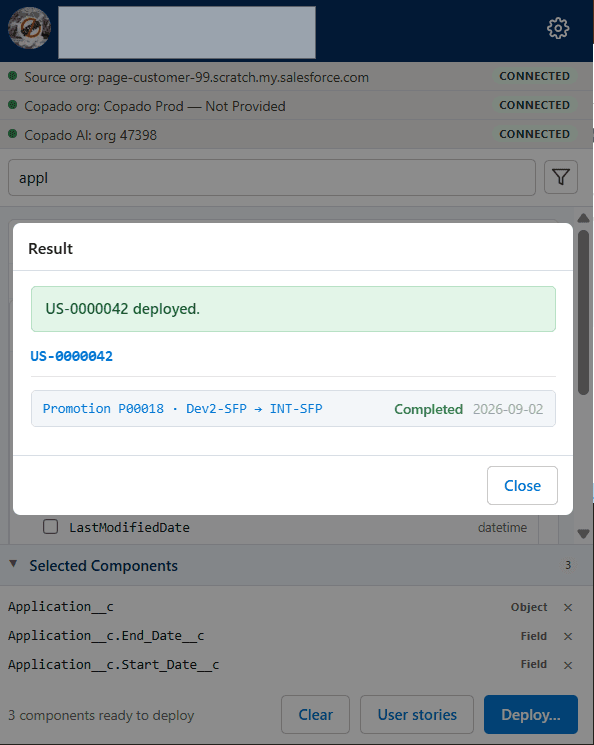
Initiate the configured Copado promotion and deployment without leaving the extension.
Deployment Monitoring
Track User Story, commit, promotion, and deployment status as the pipeline runs.
Deployment Results
Review successes and failures directly in the panel with clear, actionable messaging.
Retry
Where Copado supports it, retry a failed deployment against the existing promotion.
From metadata to deployed change
After a one-time setup that connects Salesforce, Copado, and Copado AI, every release follows the same guided path.
Connect
Confirm source org, Copado org, and Copado AI are live — setup is done once per machine.
Select components
Search the source org and add objects, fields, and other metadata to the selection panel.
Attach a User Story
Reuse an existing Copado User Story or create a new one for the selected components.
Commit
Confirm credential and project, then commit components into the story.
Promote & Deploy
Promote the story to the next environment and deploy through Copado’s pipeline.
Recover / Retry
If a deployment fails, read the error inline and retry the promotion once dependencies are fixed.
An integration layer on top of Copado
User → Browser Extension → Salesforce / Copado APIs → Copado Deployment Process → Target Salesforce Org. Copado remains responsible for User Stories, commits, promotions, deployments, status, and audit.
Least privilege. Copado stays authoritative.
Designed around secure authentication, data minimization, and explicit user authorization — without bypassing Salesforce or Copado controls.
- Least-privilege access for requested deployment operations
- No storage of Salesforce passwords or security tokens as app credentials
- No exposure of access tokens or secrets in URLs, source, or unprotected storage
- Does not bypass Copado authorization, approvals, or deployment controls
- Does not replace Copado or act as an independent deployment engine
- Processes only information required for the requested operation